

Stop looking at your average FPS counter like it’s some holy grail of performance. I spent six months in a high-stakes ranked ladder thinking my rig was fine because my overlay said “144 FPS,” only to realize I was getting absolutely shredded in every skirmish because my delivery was garbage. The truth is, average numbers are a lie that hides the stuttering reality of your actual gameplay. If you want to stop dying to things that feel like they’re lagging, you need to learn how to measure frame times instead of chasing a meaningless mean.
I’m not here to sell you on some bloated, paid benchmarking suite or a lecture on hardware architecture that won’t help you in a firefight. I’m going to show you the exact tools I use to spot those micro-stutters that turn a winning play into a death screen. No hype, no fluff—just the specific settings and software you need to see if your hardware is actually keeping up or if it’s just pretending to be smooth.
Table of Contents
Average vs 1 Lows Why Your Smooth Gameplay Is Lying
If you’re looking at a single number in your overlay and thinking your rig is fine, you’re being lied to. Most people see “144 FPS” and assume they’re having a smooth experience, but that number is a mathematical lie. It averages out the peaks and the valleys, hiding the fact that your PC might be choking every time an explosion hits the screen. To actually understand what’s happening, you need to look at average vs 1% lows. That 1% number tells you the floor—the worst performance you’re actually feeling. If your average is 100 but your 1% lows are dipping into the 30s, you aren’t playing a high-refresh game; you’re playing a slideshow with occasional bursts of speed.
This is where most players fail to realize they are actually measuring microstutter rather than raw power. You can have a high frame rate, but if the delivery is uneven, the game feels “heavy” or jittery. I’ve spent way too many hours in ranked matches where I felt like I was playing through molasses, only to realize my frame pacing consistency was absolute garbage. It’s not about the high numbers; it’s about how stable those numbers stay when the action gets messy.
Using Benchmark Software for Frame Times That Actually Matter
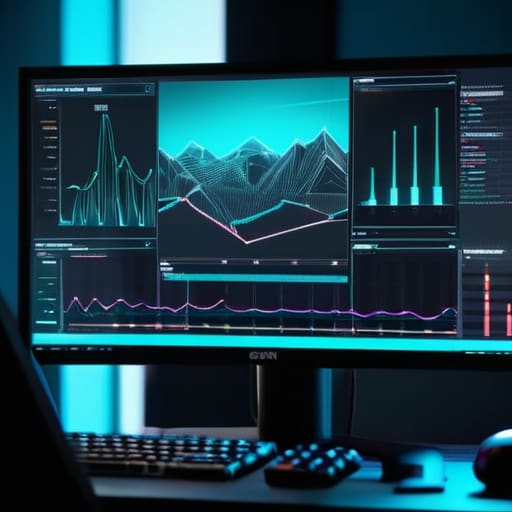
If you’re still relying on the in-game FPS counter, you’re basically flying blind. Most built-in counters give you a single number that smooths over every hiccup, which is useless for measuring microstutter. To see what’s actually happening, you need to pull up something like CapFrameX or MSI Afterburner with the RivaTuner overlay active. I don’t care about the pretty colored bars; I care about the raw data. You want to see a flat, consistent line. If that line looks like a mountain range, your game is going to feel like a slideshow regardless of what your average FPS says.
When you’re running a test, don’t just hit ‘start’ and walk away. You need to simulate a heavy load—turn up the settings, trigger some particle effects, or find a high-intensity combat loop. This is where frametime graph analysis becomes vital. If you see massive spikes during ability spam, you’ve found your bottleneck. It’s not about the number; it’s about the gap between those spikes. If the gap is inconsistent, your frame pacing is trashed, and no amount of “high FPS” is going to fix that feeling of input lag.
Stop Looking at the Counter: 5 Ways to Actually Find the Stutter
- Stop using the in-game FPS counter. Most of them are just glorified averages that smooth over the exact micro-stutters that make a boss fight feel like garbage. Use RivaTuner or CapFrameX instead; you need to see the actual millisecond intervals between frames, not a single number floating in the corner.
- Test in the “worst-case” zones, not the menus. Nobody cares if your frame times are flat in a loading screen. Go to the part of the map with the highest particle density or the most NPCs—wherever the engine actually struggles—and run your measurement there. If it’s stable in the menu but chokes during a combat encounter, your hardware is failing you when it matters.
- Watch the delta, not just the line. A steady line at 60ms is bad, but a line that jumps from 16ms to 45ms and back is what kills your muscle memory. If those spikes happen every time you trigger a specific animation or ability, you’ve found your bottleneck.
- Check your input lag alongside the frames. If your frame times look decent but the game feels “floaty,” your settings might be fighting your hardware. Use a tool that lets you see the relationship between the frame delivery and your actual mouse input. A high frame time is a technical failure; high input lag is a configuration failure.
- Record a clip while benchmarking. If you see a stutter on the graph, go back to the video. Seeing the visual hitch alongside the frame time spike is the only way to confirm if it’s a driver issue, a CPU bottleneck, or just the game’s engine being poorly optimized. Don’t guess—verify.
The Bottom Line
Stop looking at your average FPS counter; it’s a vanity metric that hides every stutter and hitch that actually ruins a fight.
If your 1% lows are tanking during heavy particle effects or boss transitions, your hardware is choking, regardless of what the “average” says.
Use actual benchmarking tools to find your consistent frame time delivery, because a stable 60Hz is better than a fluctuating 100Hz that feels like a slideshow.
Stop Chasing Numbers and Start Fixing Stutter

Look, if you’ve spent any time reading hardware forums, you know the drill. Stop looking at that bloated average FPS number on your overlay; it’s a lie that hides the truth of your actual experience. If your average is 144 but your 1% lows are tanking to 30 every time an explosion hits the screen, you aren’t playing at 144. Use the benchmark tools we talked about, track those frame time spikes, and identify exactly when your hardware is choking. It’s not about having the highest number on a spreadsheet; it’s about ensuring the consistency of the delivery so your muscle memory isn’t fighting against a hitching engine.
At the end of the day, your hardware exists to serve the game, not the other way around. I’ve spent way too many hours in ranked matches losing because a micro-stutter happened during a frame-perfect input, and I’m not doing it anymore. Once you stop guessing and start actually measuring the variance in your frame delivery, you take the mystery out of the lag. Stop letting “good enough” averages dictate your performance. Get the data, find the bottleneck, and fix the stutter so you can actually focus on the game instead of your settings.




