

Stop wasting your money on those “ergonomic” wrist rests that look like overpriced marshmallows. I’ve seen enough influencers peddling $80 gel pads that do nothing but trap heat and actually mess up your angle, and frankly, it’s a scam. If you’re looking for a magic pill for how to avoid wrist pain, you aren’t going to find it in a lifestyle blog or a fancy piece of foam. Most of that advice is just fluff designed to sell products to people who don’t realize their actual problem is their posture or their grip tension.
I’m not here to give you a lecture on “wellness” or tell you to take a meditative breathing break. I’m here to talk about the mechanics of how you actually interact with your hardware. I’m going to break down the specific, no-nonsense adjustments to your desk height, your mouse grip, and your actual movement patterns that actually work. I’ve spent enough hours grinding through ranked matches to know exactly when a setup starts failing you, and I’m going to give you the practical settings and habits that kept me playing instead of being forced into physical therapy.
Table of Contents
The Ergonomic Workstation Setup Fixing Your Unfair Difficulty Spike
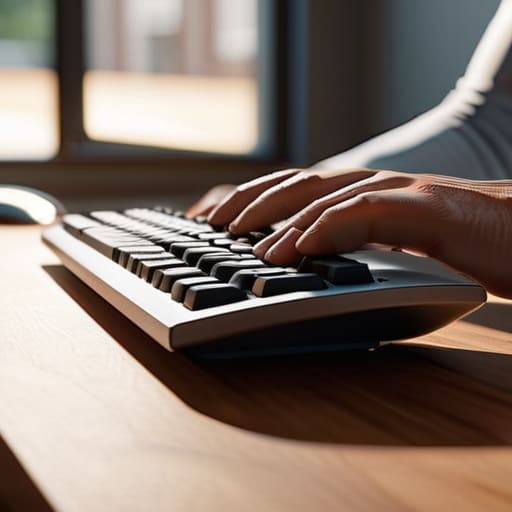
If your desk height is off, you’re basically playing on hard mode for no reason. Most people think they need a $200 gaming chair to fix their posture, but they ignore the actual geometry of their arms. If your elbows are hanging in mid-air or your wrists are angled upward like you’re trying to play a piano, you’re begging for a repetitive strain injury. You need your forearms to be parallel to the floor. If your desk is too high, you’ll compensate by tensing your shoulders, and that tension travels straight down to your hands.
Don’t just slap a random mousepad down and call it a day. Proper mouse and keyboard ergonomics means your wrists should stay neutral—not bent up, not bent down, and definitely not resting hard against a sharp desk edge. I’ve spent enough hours staring at my sensitivity spreadsheet to know that even a slight change in hand position alters your micro-adjustments. If your setup forces you into a weird angle, you aren’t just losing comfort; you’re losing precision. Fix the desk height first, or nothing else matters.
Mouse and Keyboard Ergonomics Stop Fighting Your Input Devices
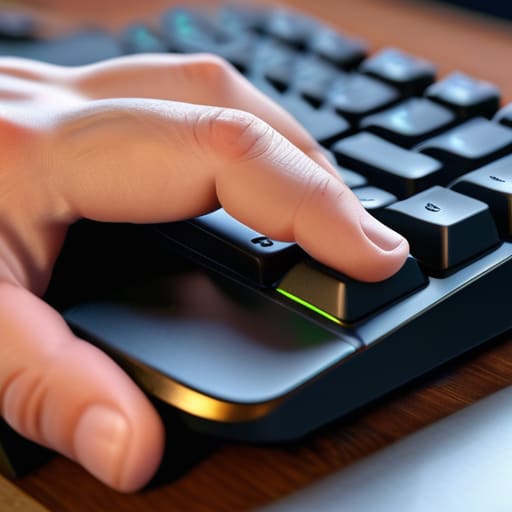
Stop treating your peripherals like they’re just part of the scenery. If you’re playing high-APM games with a mouse that forces your hand into a claw grip just to reach the side buttons, you’re essentially setting yourself up for a mechanical failure. I’ve seen too many people ignore mouse and keyboard ergonomics because they think “pro” players use the same shitty setups. They don’t. If your wrist is angled upward like a ramp to reach your keyboard, you’re begging for a repetitive strain injury. Your hands should be in a neutral, relaxed position—not fighting against the hardware every time you try to frame-perfect a dodge.
I also don’t care how much you spent on that custom mechanical board; if your wrist is resting hard against a sharp desk edge, you’re losing. It creates a pressure point that kills circulation. I’ve spent way too many hours tracking my own discomfort, and the fix is usually just repositioning the gear. Instead of waiting until you need carpal tunnel syndrome prevention tactics because you can’t even hold a controller, focus on the alignment now. Keep the keyboard flat or slightly tilted away, and for the love of god, stop hovering your wrist in mid-air like a nervous wreck.
5 Ways to Stop Your Wrist from Hard-Capping Your Performance
- Stop the “claw” grip if it’s killing you. I’ve spent way too many hours trying to force a specific grip because a pro used it, only to end up with tendonitis. If your fingers are constantly cramped and twitchy, switch to a palm grip or find a mouse with a shape that actually fits your hand. Forcing a grip is a losing battle.
- Get a wrist rest, but don’t use it as a pivot point. A common mistake is leaning your weight onto the rest while you move the mouse. That’s just adding friction and pressure to the carpal tunnel. Use the rest to support your hand when you’re idling, not as a fulcrum for your micro-adjustments.
- Check your forearm angle. If your desk is too high and your elbows are hovering or angled sharply upward, you’re putting constant tension on your wrists just to keep your hands level. Your arms should be at a 90-degree angle, relaxed. If you’re reaching “up” to your desk, you’re asking for a physical debuff.
- Implement a mandatory cooldown. I don’t care if you’re on a win streak; if you feel that dull ache starting, you’re already losing. Every hour, take two minutes to stretch your extensors and flexors. It feels like a waste of time until you’re forced to take two weeks off because you played through the pain.
- Stop ignoring mouse weight. If you’re trying to play high-precision shooters with a heavy, brick-like mouse, you’re overcompensating with your wrist muscles to move that mass. A lighter mouse reduces the physical effort required for flicks, which means less strain on the small muscles in your wrist.
The TL;DR: Stop Playing Through the Pain
Your desk height isn’t a suggestion; if your elbows aren’t at a 90-degree angle, you’re just asking for a repetitive strain injury that’ll bench you for weeks.
Stop chasing “pro” gear that feels like garbage; if your mouse grip or keyboard angle forces your wrist into a weird bend, swap it out immediately.
Treat physical discomfort like a boss mechanic you haven’t learned yet—don’t try to brute-force it, or you’ll just end up with a permanent debuff.
The Final Boss: Your Own Longevity
Look, there isn’t a magic setting or a $300 mouse that’s going to fix a fundamentally broken setup. If your desk height is wrong, your keyboard is at a weird angle, or you’re gripping your mouse like you’re trying to strangle it during a clutch moment, you’re just asking for a permanent debuff. We’ve covered the essentials: fix your workstation height, stop fighting your input devices, and actually listen to your body when it starts sending warning signals. You can’t optimize your mechanics if you can’t even move your hand. It’s about removing the physical friction between your brain and the game so you can actually focus on the patterns instead of the ache.
At the end of the day, gaming is a marathon, not a sprint. I’ve seen too many players burn out—not because they lost their skill, but because they ignored the slow grind of repetitive strain. Don’t let a preventable injury be the reason you have to hang up the headset. Treat your physical health like you treat your frame data: it’s a set of variables that you need to master to perform at your peak. Fix your ergonomics now, so you’re still here to climb the ranks five years from now.




