
I don’t care what the flashy RGB-heavy influencers tell you; you don’t need a $200 liquid cooler or a custom loop just to stop your frames from dipping during a heavy firefight. I spent three months chasing phantom stuttering in a ranked ladder climb, thinking my hardware was dying, only to realize I was just suffocating my build in a case with zero intake. Most of the “pro” advice on how to keep a pc cool is just a way to upsell you on parts you don’t actually need. If you’re staring at a thermal throttling warning while you’re mid-clutch, you don’t need more lights; you need better airflow physics.
I’m not here to sell you a dream or a specific brand of thermal paste. I’m going to show you exactly how to optimize your fan curves, where to place your intake, and which settings actually matter when your temps start hitting the red zone. This is the no-nonsense breakdown of what works when you’re actually under load, stripped of the marketing fluff. I’ve tracked my own thermals through thousands of hours of play, and I’m giving you the actual data so you can stop worrying about your hardware and get back to the game.
Table of Contents
The Thermal Paste Application Avoiding the Performance Wall
Most people treat thermal paste like it’s some kind of magic potion, but if your thermal paste application is trash, your expensive cooler is basically just a heavy paperweight. I’ve seen too many builds where someone just globbed a massive pea-sized amount in the center, thinking more is better. It isn’t. If you end up with a mess that spills over the sides or, worse, leaves air pockets trapped between the IHS and the cold plate, you’re asking for thermal throttling mid-match. I prefer the thin, even spread method with a spatula; it’s tedious, but it ensures you aren’t fighting an uneven heat soak while you’re trying to hit a frame target.
Don’t bother debating liquid cooling vs air cooling if your contact patch is garbage. You could have a 360mm AIO, but if that paste layer is inconsistent, your temperatures will spike the second you hit a heavy load. Clean the old crust off with 90% isopropyl alcohol first—don’t just layer new stuff on top of the old, dried-up junk. If you’re seeing erratic jumps in your temps, the application is the first thing you fix.
Cpu Temperature Monitoring Spotting the Heat Before It Hits
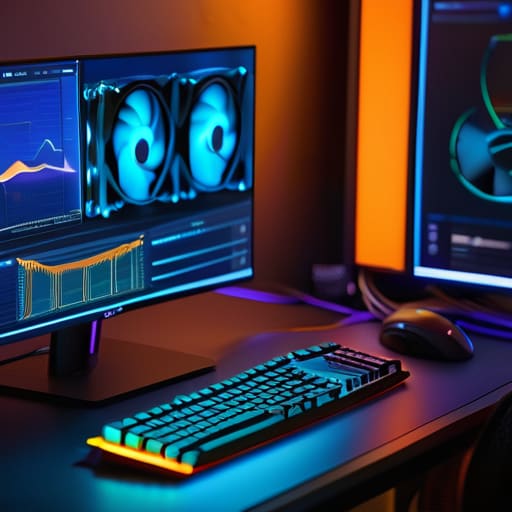
If you aren’t actually looking at your numbers, you’re just guessing. Most people wait until their frame rates tank or their system hard-locks before they even think about cpu temperature monitoring, but by then, you’ve already lost the battle. I don’t care if your rig looks clean; if your CPU is idling at 50°C and spiking to 95°C the second you load a heavy map, something is fundamentally broken. Stop relying on those generic motherboard BIOS readouts that feel like they’re from 2005. Get something like HWInfo64 running in the background. You need to see the actual delta between your core temps and your ambient room temp to know if you’re actually dealing with a hardware issue or just a bad airflow setup.
Once you have the data, look for the patterns. If you see your temps climbing steadily over a thirty-minute session, you aren’t just hitting a temporary spike; you’re likely dealing with a failure in your high-performance thermal solutions or a massive buildup of grime. If the temperature stays flat but your clock speeds are dropping, your CPU is throttling to save itself from melting. That is the exact moment you need to stop playing and start optimizing fan curves or checking your pump speeds. Don’t just ignore the warning signs because the game is still “playable”—it’s not.
Stop Playing in a Microwave: 5 Ways to Actually Lower Your Temps
- Fix your fan curves. If you’re still running the “Silent” or “Standard” profile from your BIOS, you’re basically asking for thermal throttling. Go into your software and set a custom curve; I want my fans ramping up aggressively the second I hit 60°C, not waiting until the CPU is screaming at 85°C to finally do something.
- Stop treating your PC like a decorative piece of furniture. If your tower is shoved into a desk cubby with zero clearance, you’re just recycling hot air. I’ve seen people lose 10 degrees just by moving the case six inches away from a wall so the exhaust actually has somewhere to go.
- Clean your dust filters every time you feel like being productive. I don’t care if it looks fine; if those mesh filters are clogged, your intake fans are just spinning uselessly against a wall of lint. It’s the easiest way to kill your airflow, and it’s a total amateur mistake.
- Check your cable management. I’m not talking about making it look “aesthetic” for a setup tour; I’m talking about the mess of wires blocking the direct path from your intake fans to your GPU. If your cables are a bird’s nest in the middle of the motherboard, you’re creating turbulence and killing your pressure.
- Don’t ignore the ambient temperature. If your room is 30°C because you haven’t opened a window in three days, your PC isn’t going to magically stay cool. You can have the most expensive AIO on the market, but if the air you’re pulling in is hot, your component temps are going to follow suit.
The Bottom Line: Don't Ignore the Thermal Wall
Stop guessing if your temps are fine; if you aren’t running HWInfo64 or a similar sensor tool in the background, you’re just flying blind until your frames drop.
Thermal paste isn’t a “set it and forget it” thing for life—if you’re seeing spikes during heavy loads, stop reading guides and just re-apply a pea-sized amount of something decent like Kryonaut.
A high-end GPU is useless if your case airflow is garbage; if you can’t feel air moving out of the back of your chassis, your components are just cooking themselves in their own heat.
Stop Ignoring the Heat
Look, keeping your rig from turning into a space heater isn’t some mystical art; it’s just basic maintenance that most people ignore until their frame rates tank. We covered the essentials: don’t be cheap with your thermal paste, stop treating your case like a dust magnet, and actually monitor your temps instead of just assuming everything is fine because the fans are spinning. If you aren’t checking your software to see if your CPU is hitting 90°C during a heavy raid, you aren’t playing the game, you’re just waiting for a hardware failure. Fix the airflow, check the paste, and watch the numbers. It’s not complicated, it’s just necessary.
At the end of the day, I don’t care how much you spent on your GPU if you’re letting it thermal throttle itself into mediocrity. You can buy the most expensive components on the market, but if your cooling setup is garbage, you’re essentially throwing money away on performance you’ll never actually see. Stop chasing the next hardware upgrade for five minutes and actually optimize what you already have sitting on your desk. A stable, cool system is the only way to ensure your gear actually lasts long enough to get you through the next big release. Don’t let bad thermals kill your climb.




