
Stop watching those “pro player” tutorials that spend twenty minutes talking about the philosophy of space without actually showing you the frame data. Most of them are just fluff designed to sell a course, and they completely fail at teaching you how to understand hitboxes in a way that actually stops you from dying. I spent three months in a high-rank lobby thinking I was getting outplayed by better movement, only to realize I was actually just getting cheated by invisible pixels that extended three inches past the character model. It wasn’t a skill issue; it was a geometry issue that no one bothered to explain.
I’m not here to give you a lecture on collision detection or academic math. I’m going to show you how to read the actual visual cues, where the discrepancies usually hide, and how to stop reacting to what you see and start reacting to where the math is actually happening. This isn’t a hype piece; it’s a breakdown of the logic you need so you can stop wondering why you got clipped through a wall.
Table of Contents
Character Hitbox Visualization and the Truth About Spacing
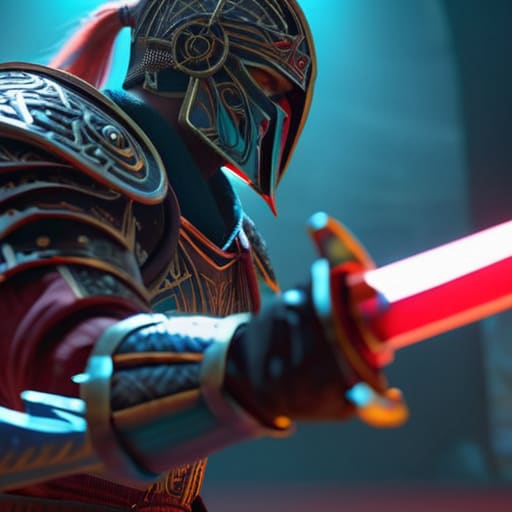
Most people look at their character model and assume that if the sword looks like it touched the enemy, it’s a hit. That’s how you lose matches. You need to stop looking at the art and start looking at the invisible geometry. Character hitbox visualization isn’t about the flashy animations; it’s about the crude, often ugly boxes that the engine actually calculates. If your character’s arm extends halfway through a swing but the hitbox doesn’t trigger until the final frame, you’re going to get punished for “whiffing” a move that looked perfectly timed.
This is where spacing and distance management actually becomes a skill rather than just a feeling. You aren’t just managing the distance between two models; you are managing the gap between your hurtbox and their active hitboxes. I’ve spent too many hours in ranked getting clipped by moves that looked like they should have missed by a mile. It usually comes down to the game engine’s collision logic being slightly more generous than the visual assets suggest. If you aren’t accounting for that extra pixel of reach, you aren’t playing the game—you’re just guessing.
Why Game Engine Collision Logic Makes You Feel Cheated
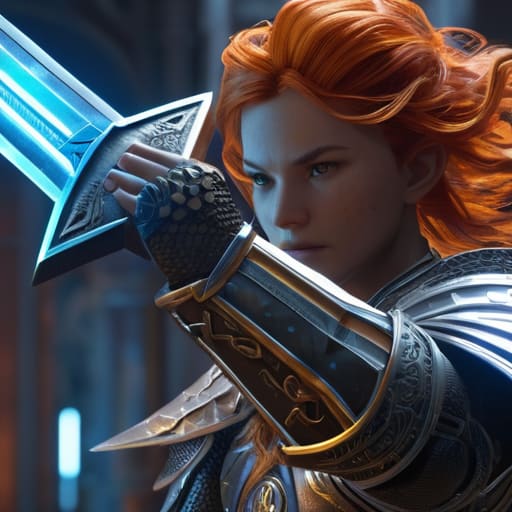
The reason you feel like you’ve been robbed isn’t usually a lack of skill; it’s the way game engine collision logic handles the math between two moving objects. Developers don’t draw perfect outlines around characters. Instead, they wrap them in a collection of primitive shapes—boxes, spheres, or capsules—that don’t always match the character model’s silhouette. When you see a sword pass through your character’s hair without a hit, but then get clipped by a foot that wasn’t even near you, that’s the engine’s collision shapes failing to represent the visual reality.
This discrepancy is where frame data and collision detection collide. In high-level play, you aren’t reacting to the animation; you’re reacting to the invisible volume. If the developer’s collision capsule is even a few pixels wider than the character’s actual limbs, your spacing and distance management becomes a guessing game. You think you’ve found the safe zone, but the engine’s math says you’re already in the danger zone. It feels like cheating because, in a literal technical sense, the game is lying to your eyes.
Stop Guessing and Start Measuring
- Ignore the character model. The mesh you see—the hair, the flowing capes, the outstretched sword—is almost always a lie. Focus entirely on the center of mass and the core torso. If you’re trying to dodge based on where a character’s hand is, you’re going to get clipped by a hitbox that ended three frames ago.
- Learn the difference between a hurtbox and a hitbox. A hitbox is the invisible shape that deals damage; a hurtbox is the shape that receives it. Most players lose because they treat them as the same thing. You need to visualize the “active frames”—the specific window where the hitbox actually exists—rather than just watching the animation.
- Watch the ground, not the player. In top-down or isometric games, hitboxes often extend slightly below the character’s feet to account for uneven terrain. If you’re hugging a corner thinking you’re safe, you’re likely standing right in the path of a sweeping hitbox that’s larger than the character’s actual footprint.
- Test the “dead zones” in every boss encounter. Every boss has a specific radius where their attacks transition from “miss” to “hit.” Don’t just back away; find the exact pixel distance where the hitbox stops being active. If you find that sweet spot, you can stay in the fight without ever triggering a damage frame.
- Stop relying on “feel” and start looking at frame data. If you keep getting hit despite being outside the visual range of an attack, the game is likely using “lag compensation” or a massive hitbox to make the game feel “fairer” to casuals. Recognize that the visual cue is delayed, and adjust your spacing to account for that extra buffer.
The Bottom Line
Stop trusting the character model; the visual mesh is almost always larger than the actual collision box, so if you’re playing “on the edge,” you’re already dead.
Spacing isn’t a feeling, it’s math—learn the specific distance of a move’s reach so you stop guessing and start reacting to the actual hitbox data.
When you get hit by something that looked like a miss, it’s usually a frame-data discrepancy or an oversized hitbox, not “bad luck”—stop tilting and start adjusting your distance.
Stop Blaming the Lag
Look, stop blaming your ping or your controller every time you get caught by an attack that looked like it missed. Once you realize that hitboxes aren’t just the character models you see on screen, but a messy collection of invisible geometric shapes, the game changes. You have to account for the discrepancy between the animation and the actual collision data, especially when the engine’s logic decides a hitbox is larger than the visual effect suggests. Stop playing against the graphics and start playing against the actual data that determines whether you live or die.
Mastering this isn’t about having superhuman reflexes; it’s about developing a better mental map of the space you’re occupying. It’s the difference between panic-rolling and knowing exactly where that pixel-perfect edge lies. When you stop fighting the visual noise and start respecting the underlying math, you stop being a victim of the game and start actually controlling it. Go back into your replays, look at the frame data, and find where you were actually clipped. That’s where the real improvement begins.