
Stop buying those overpriced “blue light” glasses that look like something a budget sci-fi extra would wear; most of them are a total scam. I spent months thinking I needed a $200 prescription just to stop the burning sensation during a ranked climb, only to realize I was just ignoring basic physics. Everyone online loves to sell you a product to solve your problems, but if you actually want to learn how to avoid eye strain, you need to stop looking at the marketing and start looking at your actual setup.
I’m not here to give you a lecture on ocular health or some vague wellness advice that sounds like it was written by a HR department. I’m going to tell you the specific, mechanical changes I made to my desk, lighting, and monitor settings that actually stopped the headaches. I’ve spent way too many hours staring at pixels until my vision blurred, so I’m giving you the no-nonsense checklist I wish I had at hour three. No fluff, no expensive gear—just the settings and habits that actually work.
Table of Contents
Spotting Digital Eye Strain Symptoms Before the Burn Hits
Most people wait until they’re squinting at a boss mechanic or missing a frame-perfect input to realize something is wrong. By then, you aren’t just tired; you’re playing at a deficit. If you feel a dull ache behind your temples or notice that your vision gets slightly blurry after a two-hour session, those are the first digital eye strain symptoms trying to tell you to back off. It’s not just “being tired.” It’s your ocular muscles literally seizing up because you haven’t blinked in ten minutes.
Pay attention to the subtle stuff, too. If you find yourself leaning closer to the monitor to read chat or if your eyes feel gritty, like there’s sand in them, you’re already deep in the red. This is the onset of computer vision syndrome, and ignoring it is a fast track to a headache that kills your entire weekend. Don’t wait for the full-blown migraine to start thinking about your setup; if you’re feeling the burn, you’ve already lost the battle against your monitor.
The 20 20 20 Rule for Eyes a Non Negotiable Mechanic

If you treat your eyes like a resource you can just infinite-farm, you’re going to hit a wall. Most players ignore the physiological mechanics of their own bodies until they’re staring at a blurred screen mid-match. This is where the 20-20-20 rule for eyes actually matters. It’s not some vague wellness suggestion; it’s a hard reset for your focus. Every 20 minutes, you need to look at something at least 20 feet away for at least 20 seconds. It sounds stupidly simple, but it forces your ciliary muscles to relax instead of staying locked in a permanent spasm from staring at a fixed focal distance.
Think of it like a cooldown period for your vision. If you’re grinding a ranked ladder or attempting a new speedrun PB, your brain might tell you to push through, but the physical cost is real. Ignoring this is the fastest way to trigger computer vision syndrome relief needs that no amount of caffeine can fix. Don’t wait until your vision starts swimming to implement this. Set a timer, look out a window, and let your eyes recalibrate before the fatigue turns into a legitimate performance penalty.
Stop Playing Through the Blur: 5 Fixes for Your Setup
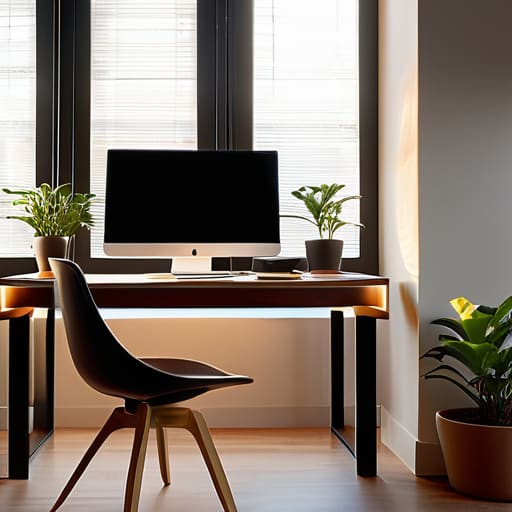
- Fix your monitor height. If you’re looking up at the screen, you’re widening your eyelids and letting moisture evaporate faster. Your eyes should be level with the top third of the monitor so you’re looking slightly downward. It’s basic ergonomics, not a suggestion.
- Kill the glare. If there’s a window behind you or a lamp bouncing off your glass, you’re fighting a constant battle of contrast that fries your retinas. Move the light source or get a matte screen protector. If you’re squinting to see through a reflection, you’ve already lost.
- Adjust your brightness to match the room. If your monitor looks like a lightbulb in a dark room, or if it looks washed out because the room is too bright, your pupils are constantly struggling to adjust. Match the screen luminance to your ambient light. If you can’t tell, your settings are wrong.
- Check your font scale. I see people trying to read tiny UI elements or cramped text at 100% scaling because they think it looks “cleaner.” It’s not. It’s just eye strain in disguise. Bump your Windows or macOS scaling up to 125% or 150%. If you have to lean forward to read, your setup is failing you.
- Use a blue light filter, but don’t be an idiot about it. Software like f.lux or the built-in “Night Light” settings help, but don’t crank them to maximum during a high-stakes match where color accuracy matters. Use them when you’re winding down or doing heavy reading, not when you’re trying to frame-perfect a boss fight.
The TL;DR for Not Going Blind
If your eyes feel like they’re being poked with needles, you’ve already failed; stop the session and use the 20-20-20 rule before the headache ruins your rank.
Stop ignoring your environment; if your monitor is the only light source in a dark room, you’re essentially playing through a strobe light effect that kills your focus.
Check your settings, not just your eyes; if you’re squinting to see UI elements or reading tiny text, increase the scale in the settings menu instead of leaning closer to the glass.
Don't Let a Headache Kill Your Rank
Look, there isn’t a magic setting in your monitor’s menu that’s going to fix everything if you’re playing like a maniac for ten hours straight. You need to actually use the mechanics we talked about: spot the symptoms before they turn into a migraine, and treat the 20-20-20 rule like a mandatory cooldown rather than an optional suggestion. If you’re ignoring the burn, you aren’t “grinding”—you’re just sabotaging your own performance. Adjust your lighting, fix your posture, and for the love of god, stop staring at the screen without blinking. It’s basic maintenance, not some high-level theory.
At the end of the day, your hardware is only as good as your ability to actually see what’s happening on the screen. I’ve seen too many people throw away entire weeks of progress because they pushed through a headache and ended up playing like absolute trash. Don’t be that person. Treat your eyes with the same respect you give your frame rate or your input latency. If you want to stay competitive and actually enjoy the games you spend thousands of hours on, you have to realize that your vision is your most important peripheral. Take the break, reset, and get back in the game when you can actually see clearly.




