

Stop listening to the “ultra settings” crowd or those generic optimization guides that tell you to just turn everything to low and call it a day. It’s lazy, and it’s why you’re playing a muddy mess instead of a crisp, competitive game. Most people spend hours toggling every single slider in a menu, hoping for a miracle, without actually understanding how to find the setting that costs the most frames. I wasted three months of my life in a tactical shooter doing exactly that—blindly tweaking shadows and textures while my input lag felt like I was playing through thick syrup. I didn’t need a “cinematic experience”; I needed to know which specific toggle was actually murdering my stability.
I’m not here to give you a list of “recommended” presets that some marketing department cooked up. I’m going to show you how to use a basic overlay to isolate variables so you can stop guessing and start knowing. We’re going to strip away the visual bloat by identifying the exact culprits behind your frame drops. No hype, no fluff—just the raw data you need to reclaim your performance.
Table of Contents
Gpu Performance Profiling Finding the Real Killers
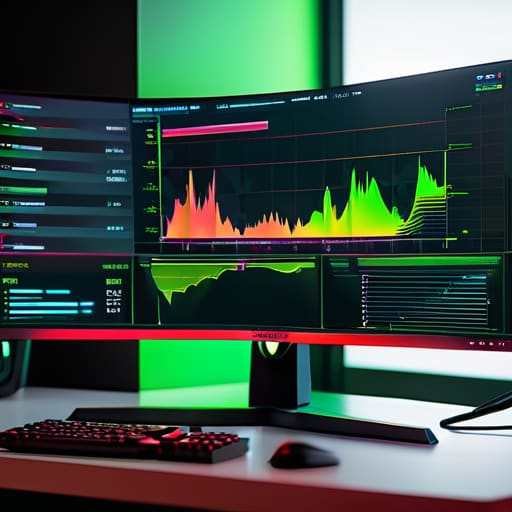
Stop clicking through menus like a tourist and hoping for the best. If you want to actually stop the stuttering, you need to start GPU performance profiling instead of just guessing. I used to spend hours toggling shadows and volumetric lighting, praying I hit the right one, but it’s a waste of time. You need to use a tool like MSI Afterburner or even just the built-in overlay in Steam to watch your frame times while you move. If your frame time graph looks like a jagged mountain range instead of a flat line, you aren’t looking at a simple FPS drop; you’re looking at frame time inconsistency that’s going to ruin your aim in a firefight.
The real trick is isolating variables. Pick one setting—let’s say Ambient Occlusion—and crank it from low to ultra. If your average FPS barely budges but your 1% lows tank, you’ve found a culprit. This kind of identifying heavy graphics settings through actual data is the only way to know if a setting is actually worth the visual trade-off or if it’s just dead weight killing your hardware.
Identifying Heavy Graphics Settings Without the Fluff
Don’t just scroll through the menu and flip switches like you’re playing roulette. Most “optimization guides” tell you to turn everything to Low, which is lazy and objectively wrong if you actually want the game to look decent. You need to perform a manual FPS impact analysis by isolating variables. Pick one setting—just one—and toggle it between its highest and lowest values while running a benchmark or a heavy combat loop. If your frame rate doesn’t move, that setting is useless to you. If it jumps by 15 frames, you’ve found a culprit.
The real trap is ignoring frame time consistency. You might see a high average FPS, but if your 1% lows are tanking because of a specific volumetric lighting setting, the game will still feel like garbage. I’ve spent way too many hours chasing ghosts in menus only to realize that a single “shadow quality” tweak was causing micro-stutters. Stop chasing the highest number and start identifying heavy graphics settings that actually smooth out your delivery. If a setting makes the game look slightly better but introduces jitter, kill it immediately.
The Five-Step Stress Test
- Pick a static, high-detail scene—like a dense forest or a crowded marketplace—and lock your FPS. If you can’t find a spot where the GPU is actually working, you aren’t testing anything meaningful.
- Toggle one setting at a time. I don’t care if you think you can “feel” the difference between Volumetric Clouds and Ambient Occlusion; if you don’t see a numerical jump in your overlay, it’s not the culprit.
- Use a frame-time graph, not just the average FPS number. A steady 60 FPS is better than a jittery 80 that spikes every time you turn your camera. If a setting causes massive frame-time spikes, it’s a killer regardless of the average.
- Check your VRAM usage during the test. If you’re hitting a ceiling, your “performance” issue might actually just be your texture resolution choking your memory, which is a completely different fix.
- Compare the “High” vs “Ultra” delta. Most games have a massive performance cliff between two specific tiers. Find that cliff, then drop everything below it to the lowest acceptable visual level.
The Bottom Line
Stop toggling things randomly; use a benchmark tool to see the actual millisecond delta before and after a setting change.
Ignore “Ultra” presets; most of the performance cost in high-end presets comes from shadow resolution and volumetric lighting that your eyes won’t actually register during a fight.
Prioritize frame stability over peak numbers; a steady 80 FPS with consistent frame times is always better than a jumpy 120 that stutters every time an explosion happens.
Stop Guessing, Start Profiling

Look, the takeaway is simple: stop letting “Ultra” presets dictate your experience. You’ve seen the data now. You know that toggling shadows or volumetric lighting isn’t just about making things look “prettier”—it’s about reclaiming the headroom you need to actually win. If you followed the profiling steps, you aren’t just blindly lowering settings anymore; you’re making surgical strikes against the specific draw calls and shader complexities that are eating your frame time. Stop chasing the hype of a visual fidelity you can’t even see because your screen is stuttering every time an explosion happens. Test, measure, and cut the fat.
At the end of the day, your hardware exists to serve your gameplay, not the other way around. I’ve spent enough hours in ranked lobbies to know that a 5% visual improvement is worth absolutely nothing if it costs you a 10ms input lag spike during a crucial frame. The goal isn’t to have the best-looking screenshot on a subreddit; it’s to have the most consistent, predictable performance possible when the pressure is on. Go back into your settings, find those heavy hitters we identified, and strip the game down to what actually matters. Play the game, don’t just watch it.




